브랜드 페이지 카탈로그 페이지 기관 단체 페이지 AI 툴킷
VjQj
무료 진단
요금 안내 사용 가이드
로그인 지금 시작하기

VjQj 플랫폼 매뉴얼

  • 빠른 시작
    • 빠른 시작 안내
  • 시작하기
    • VjQj는 무엇인가요?
    • 이 가이드 사용법
  • 계정 설정
    • 계정 생성
    • 로그인
    • 계정 설정 관리
  • 브랜드 프로필
    • 브랜드 페이지 만들기
    • 이미지 및 동영상 업로드
  • 제품 카탈로그
    • 카탈로그 페이지 만들기
    • 무역 조건 및 설명
  • QR 코드 및 채널
    • QR 코드 개요
    • QR 코드 생성 및 다운로드
    • 채널 추적 및 분석
    • QR 코드 사용 사례
  • 구매자 문의
    • 문의 유형
    • 이메일 알림
    • 문의 검토 절차
    • VjQj 신뢰 시스템
  • 대시보드
    • 대시보드 액세스
    • 대시보드 유형
    • KPI 지표 이해
    • 분석 탭 및 필터
    • 시계열 차트 읽기
    • 페이지 통계
    • 데이터 보안 및 개인정보 보호
  • 지원
    • 지원받는 방법
    • 일반적인 문제
    • 티켓 기록
  • 마케팅 스토어
    • 마케팅 스토어 개요
    • 구매 및 결제
    • 구매 후 관리
카테고리 보기
  • 사용 가이드
  • VjQj 플랫폼 매뉴얼
  • 빠른 시작

빠른 시작 안내

Get your first China page live in about 15 minutes. You don't need images or a complete profile to start.

Step 1 — Sign up

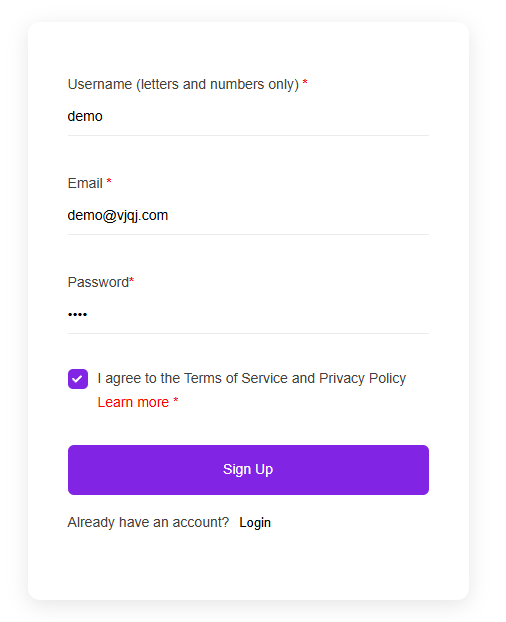
Go to app.vjqj.com and click Sign Up.

Fill in three things: a username (letters and numbers, like "company01"), your business email, and a password. Click Sign Up, then check your inbox for a verification email. Look in spam if nothing arrives within a few minutes. Some accounts activate instantly without verification.

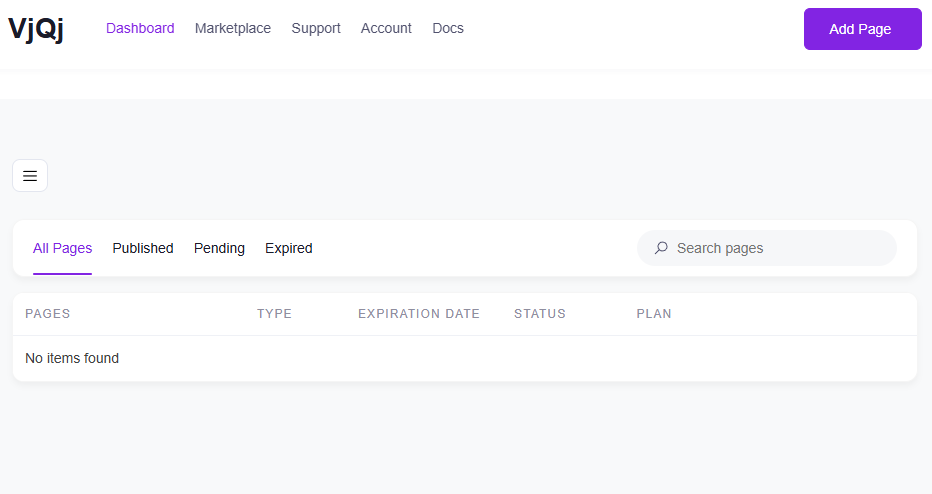
Once logged in, look for My Pages in the top menu. If it's there, your account is ready.

Step 2 — Create a Brand Page

Go to My Pages, click Add New Page, and choose Brand Page.

Fill in these fields:

Company Name — your official name, as you want Chinese buyers to see it. Industry — pick the closest match from the dropdown. Business Email — the address where buyer inquiry emails will be sent.

Everything else is optional for now. Scroll down, check the terms box, and click Submit.

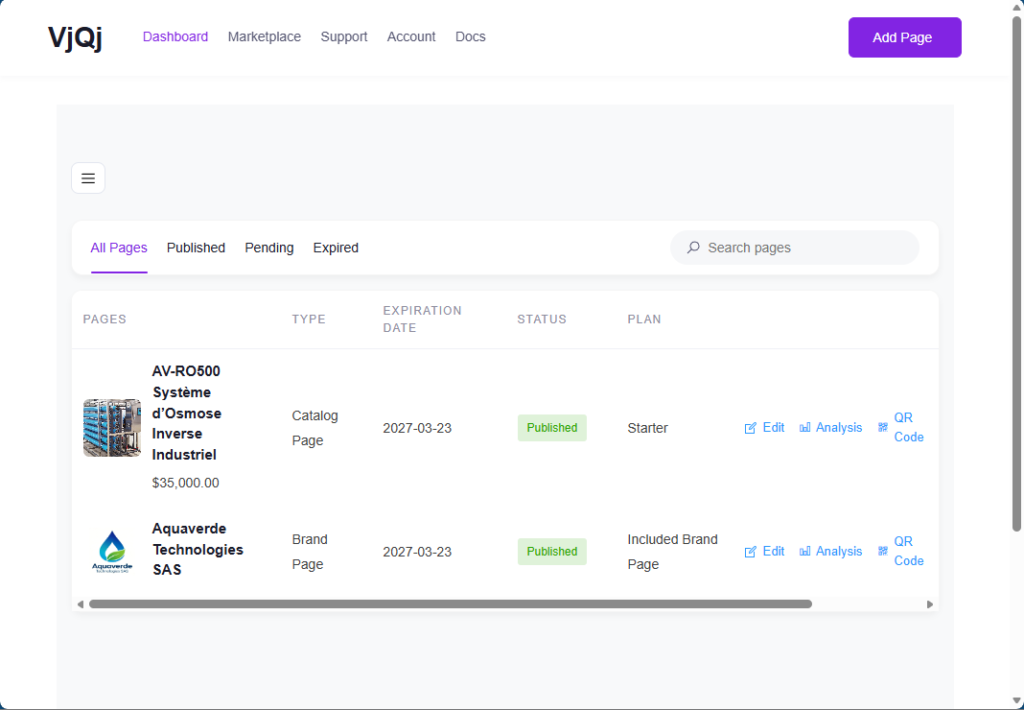
Go back to My Pages. If your company name appears in the list, the Brand Page is created.

Step 3 — Create a Catalog Page

Click Add New Page again, choose Catalog Page.

Your Brand Page will be pre-selected in the Brand Profile field. You can't create a Catalog Page without a published Brand Page.

Fill in:

Product / Service Name — what you're selling. Product Category — pick from the dropdown.

Click Submit. Check My Pages — if your product name shows up alongside your Brand Page, you're set.

Step 4 — Generate a QR code and test it

In My Pages, click the QR icon next to your page.

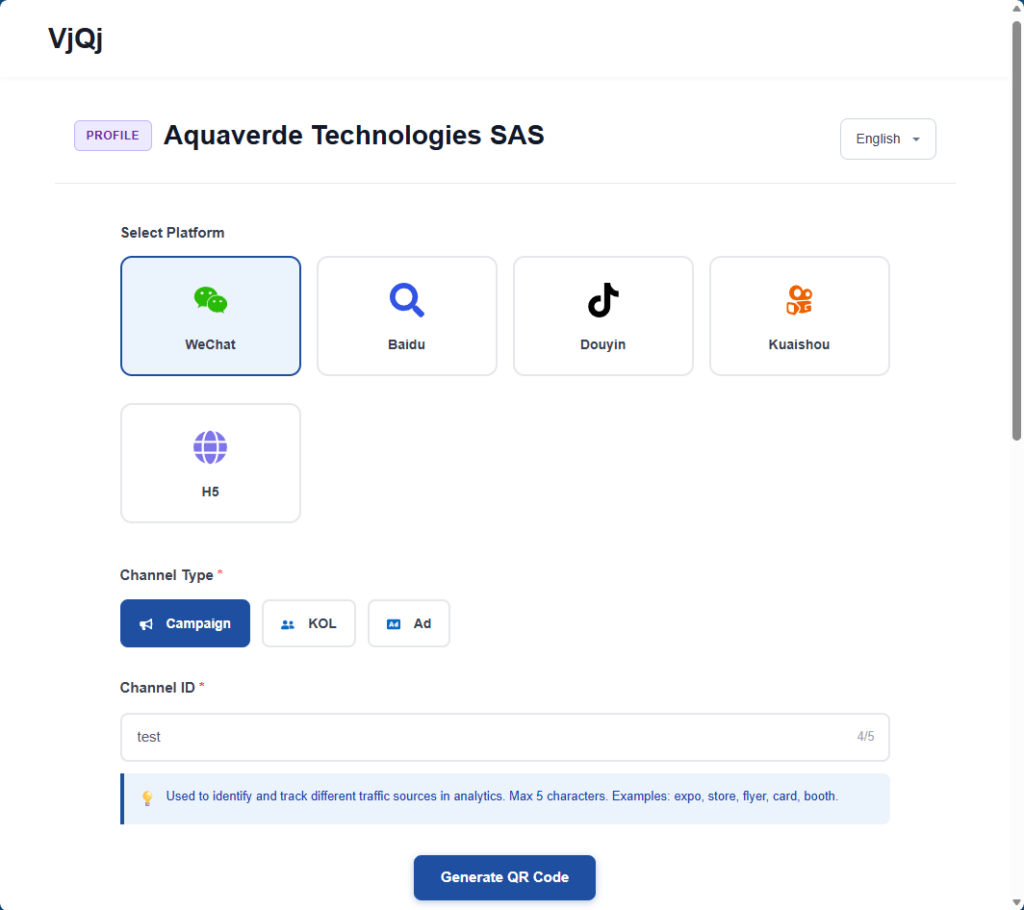
Set three fields: Platform — select WeChat. Channel Type — select Campaign. Channel ID — type something like "test" (1-5 characters).

Click Generate, download the QR code image, open WeChat on your phone and scan it. If the page loads inside WeChat, everything is working.

What to do next: go back and complete your Brand Page (logo, company intro, gallery images) and Catalog Page (trade terms, description, photos). The sections below walk through each field.

도움이 되었나요?

  • 행복한
  • 정상
  • 슬픈

공유:

  • Facebook
  • X
  • LinkedIn
  • Pinterest
VjQj

해외 브랜드를 위한 완벽한 중국 디지털 거점. 현지 법인 설립도, 복잡한 대행사도, 불필요한 시행착오도 없습니다.

제품

브랜드 페이지 카탈로그 페이지 기관 단체 페이지 AI 툴킷

자원

무료 진단 요금 안내 사용 가이드

시작하기

내 중국 페이지 생성하기 →

무료 시작 · 신용카드 불필요

ICP: 津ICP备2025038813号  연락하기: support@vjqj.com  |  서비스 약관  ·  개인정보처리방침 에 동의하게 됩니다
© 2026 톈진 쉬니우 AI 스튜디오. 모든 권리가 저작권으로 보호됩니다.
링크드인
🌐Language:
English(으)로 언어 변경 English
Korean
OK
Korean
English