Brand Page Catalog Page Organization Page AI Assistant
VjQj
Free Audit
Pricing Docs
Log In Get Started →

VjQj Platform Manual

  • Quick Start
    • Quick Start Guide
  • Getting Started
    • What is VjQj?
    • How to Use This Guide
  • Account Setup
    • Create Your Account
    • Log In
    • Manage Account Settings
  • Brand Profile
    • Create Your Brand Page
    • Upload Images & Videos
  • Product Catalog
    • Create a Catalog Page
    • Trade Terms & Descriptions
  • QR Codes & Channels
    • QR Code Overview
    • Generate & Download QR Codes
    • Channel Tracking & Analytics
    • QR Code Use Cases
  • Buyer Inquiries
    • Inquiry Types
    • Email Notifications
    • Inquiry Review Process
    • VjQj Trust System
  • Dashboard
    • Accessing the Dashboard
    • Dashboard Types
    • Understanding KPI Metrics
    • Analytics Tabs & Filters
    • Reading Time-Series Charts
    • Page-Level Statistics
    • Data Security & Privacy
  • Support
    • How to Get Support
    • Common Issues
    • Ticket History
  • Marketing Store
    • Marketing Store Overview
    • Purchase & Payment
    • Post-Purchase Management
View Categories
  • Docs
  • VjQj Platform Manual
  • Buyer Inquiries

Inquiry Review Process

Inquiries go through a verification process. In your Dashboard, switch the data table to "By Channel ID" to see inquiry quality details.
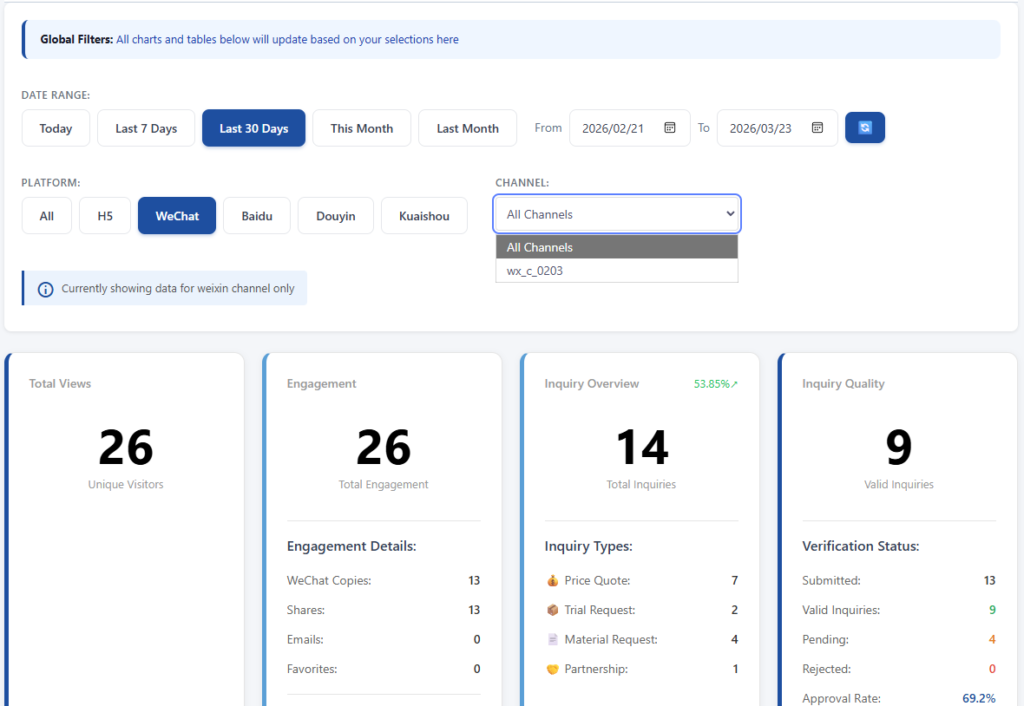
The statuses are:

Submitted — total number of inquiries received. Valid — approved, auto-approved, or expired pending (after 14 days without action, they count as valid).

Pending — waiting for your review.

Rejected — you've marked them as invalid.
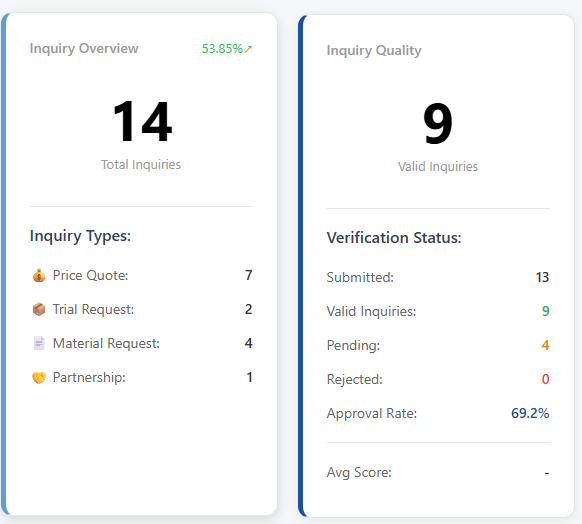
You'll also see an Approval Rate (valid divided by submitted) and an Average Score per channel.

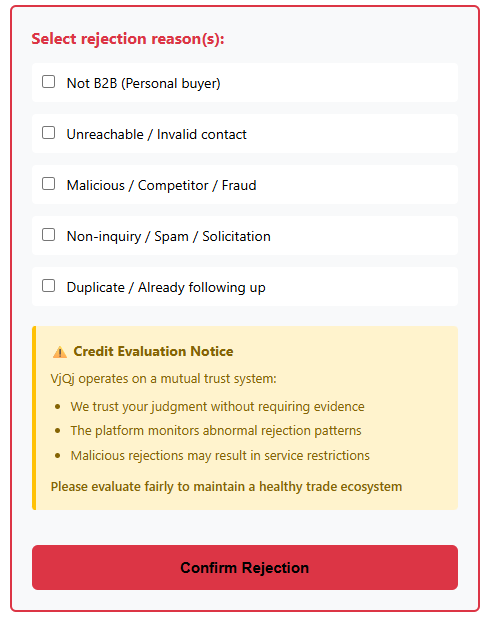
When rejecting an inquiry, you select a reason:

1 — Not a B2B customer (individual buyer).

2 — Contact info invalid or unreachable.

3 — Malicious, competitor, or fraud.

4 — Spam, solicitation, or not a real inquiry.

5 — Duplicate, already being followed up.
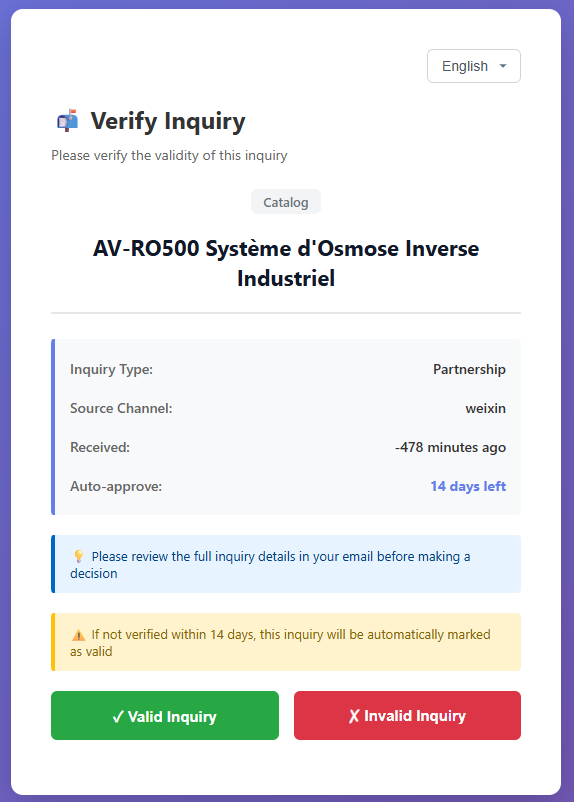
Review your inquiries regularly. Valid/rejected classification keeps your dashboard metrics clean and helps the platform improve filtering for everyone.
Was this helpful?

  • Happy
  • Normal
  • Sad

Share:

  • Facebook
  • X
  • LinkedIn
  • Pinterest
VjQj

China digital presence for foreign brands. No local entity. No agency. No guesswork.

Products

Brand Page Catalog Page Organization Page AI Assistant

Resources

Free Audit Pricing Docs

Get Started

Generate My China Page →

Free to start · No credit card required

ICP: 津ICP备2025038813号  |  Contact: support@vjqj.com  |  Terms of Service  ·  Privacy Policy
© 2026 Tianjin Xuniu AI Studio. All rights reserved.
LinkedIn
🌐Language:
English
English
Change language to Korean Korean
OK
English
Korean

