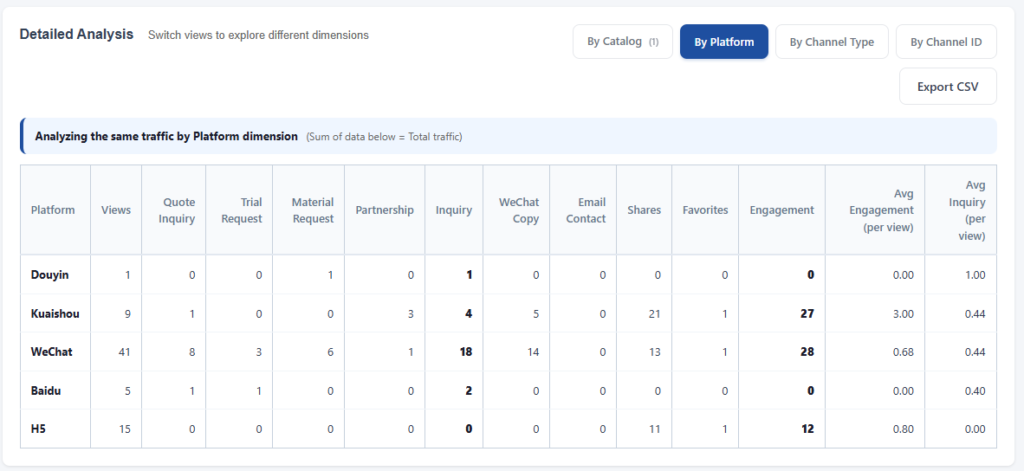
Click any individual page in your dashboard to see stats for that single Brand Page or Catalog Page. You'll see the same KPI cards and data tables, but filtered to that one page.
The "By Channel ID" tab is particularly useful here — it shows which specific QR codes are driving traffic and inquiries to this product.
Use this to compare products (which Catalog gets more attention), evaluate partners (is a specific KOL working), and measure content changes (did updating the description improve conversion).