Página de Marca Página de catálogo Página de la Organización Asistente de IA
VjQj
Auditoría gratuita
Precios Documentos
Iniciar sesión Empezar

VjQj Platform Manual

  • Quick Start
    • Quick Start Guide
  • Getting Started
    • What is VjQj?
    • How to Use This Guide
  • Account Setup
    • Create Your Account
    • Iniciar sesión
    • Manage Account Settings
  • Brand Profile
    • Create Your Brand Page
    • Upload Images & Videos
  • Product Catalog
    • Create a Catalog Page
    • Trade Terms & Descriptions
  • QR Codes & Channels
    • QR Code Overview
    • Generate & Download QR Codes
    • Channel Tracking & Analytics
    • QR Code Use Cases
  • Buyer Inquiries
    • Inquiry Types
    • Email Notifications
    • Inquiry Review Process
    • VjQj Trust System
  • Dashboard
    • Accessing the Dashboard
    • Dashboard Types
    • Understanding KPI Metrics
    • Analytics Tabs & Filters
    • Reading Time-Series Charts
    • Page-Level Statistics
    • Data Security & Privacy
  • Support
    • How to Get Support
    • Common Issues
    • Ticket History
  • Marketing Store
    • Marketing Store Overview
    • Purchase & Payment
    • Post-Purchase Management
View Categories
  • Documentos
  • VjQj Platform Manual
  • QR Codes & Channels

Generate & Download QR Codes

Step by step:

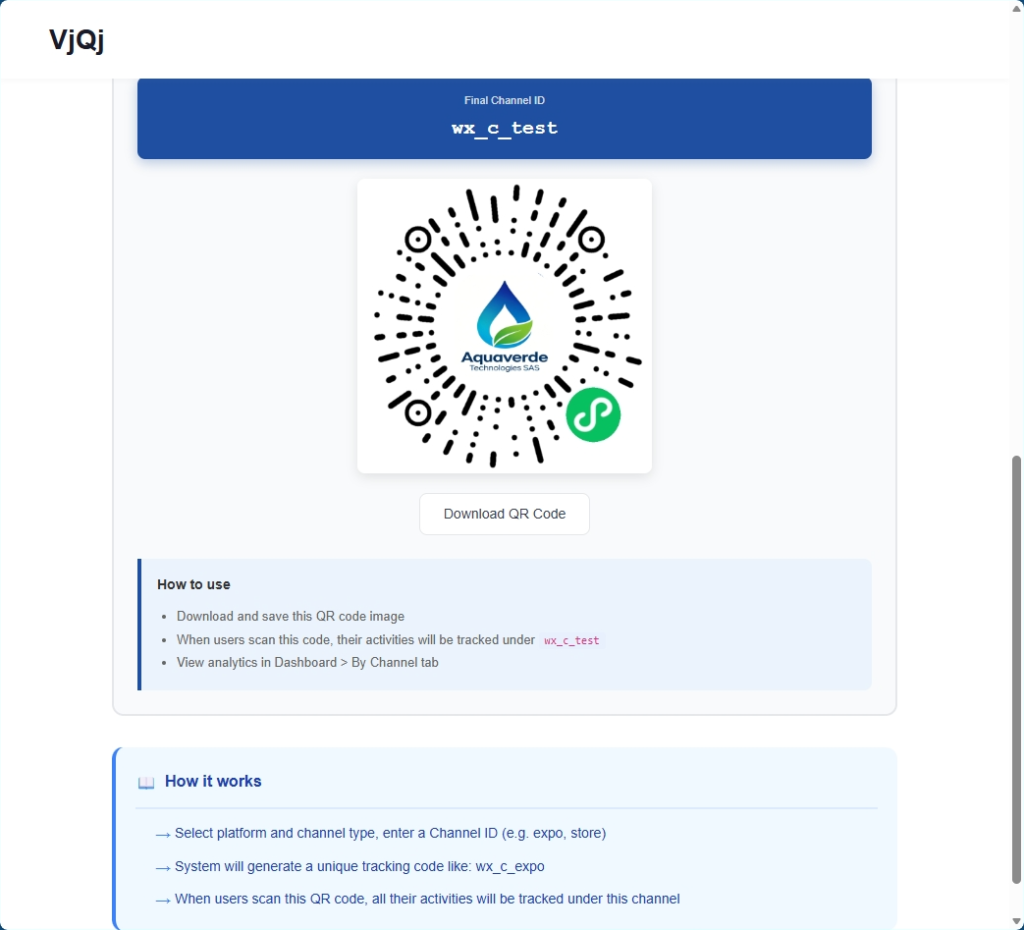
In My Pages, click the QR icon next to your page.

1. Select a Platform (e.g. WeChat).

2. Select a Channel Type (e.g. Campaign).

3. Enter a Channel ID (1-5 characters, e.g. "expo1").

4. Click Generate.

5. Download the QR code image or copy the URL.

Create a separate QR code for every distribution channel. If you use the same code for a trade show and a brochure, you lose tracking granularity.

Use descriptive Channel IDs. "expo1" is more useful in your dashboard later than "test".

Always scan the QR code yourself before printing. Open the target app and scan to confirm it loads.

Was this helpful?

  • Happy
  • Normal
  • Sad

Share:

  • Facebook
  • X
  • LinkedIn
  • Pinterest
VjQj

Presencia digital en China para marcas extranjeras. Sin entidad local. Sin agencia. Sin suposiciones.

Productos

Página de Marca Página de catálogo Página de la Organización Asistente de IA

Recursos

Auditoría gratuita Precios Documentos

Empezar

Generar mi página de China →

Gratis para empezar · No se requiere tarjeta de crédito

PIC 津ICP备2025038813号  Contacto: support@vjqj.com  |  Términos de servicio  ·  Política de Privacidad
© 2026 Tianjin Xuniu AI Studio. Todos los derechos reservados.
LinkedIn
🌐Language:
Cambiar idioma a English English
Cambiar idioma a Korean Korean
Cambiar idioma a Japanese Japanese
Cambiar idioma a German German
Cambiar idioma a French French
Spanish
Cambiar idioma a Arabic Arabic
Cambiar idioma a Portuguese Portuguese
Cambiar idioma a Russian Russian
Cambiar idioma a Indonesian Indonesian
Cambiar idioma a Vietnamese Vietnamese
Cambiar idioma a Turkish Turkish
Cambiar idioma a Thai Thai
Cambiar idioma a Hindi Hindi
OK
Spanish
English Korean Japanese German French Arabic Portuguese Russian Indonesian Vietnamese Turkish Thai Hindi