Ваша страница бренда — это профиль вашей компании для китайских покупателей. Она должна существовать до того, как вы сможете создавать страницы каталогов.
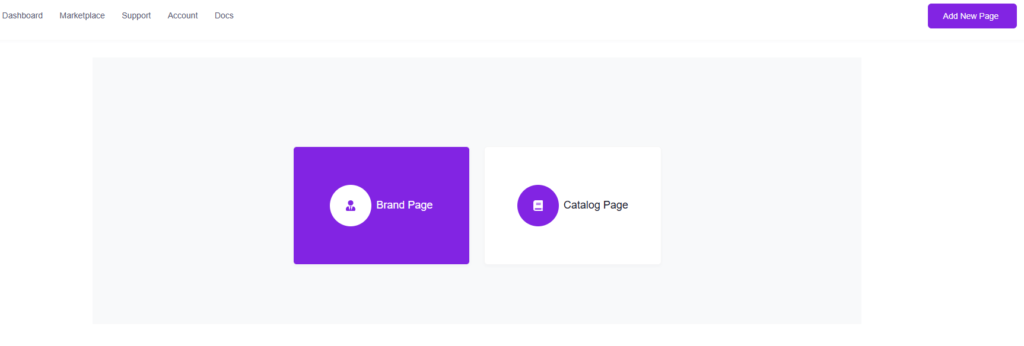
Перейдите в раздел «Мои страницы», нажмите «Добавить новую страницу» и выберите «Страница бренда».
Форма состоит из двух разделов.
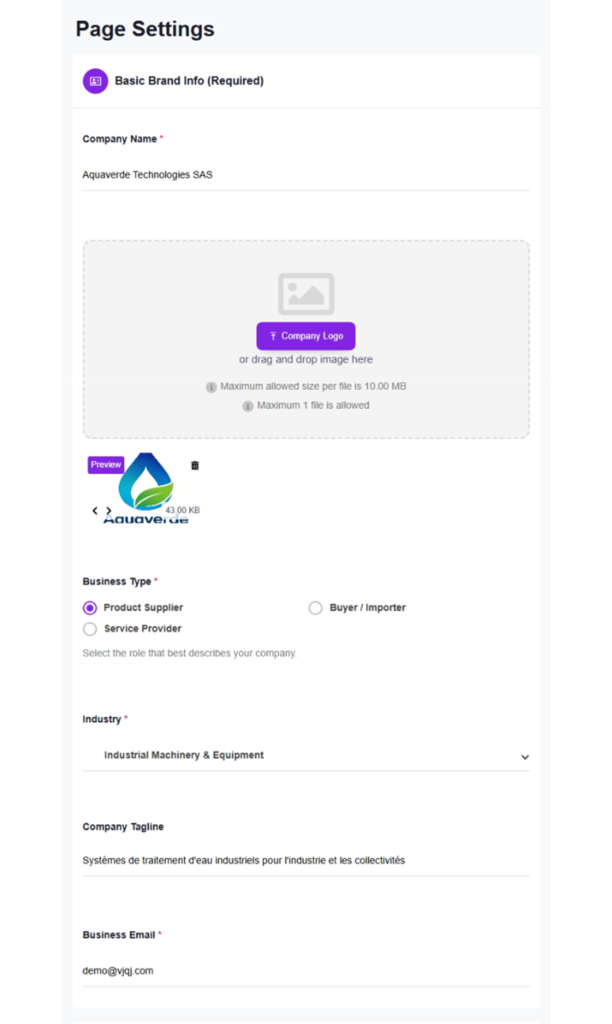
1. Основная информация (обязательно)
Название компании — отображается как заголовок страницы на всех платформах.
Логотип компании — одно изображение, не более 10 МБ. Квадратный формат (1:1) подходит лучше всего, PNG или JPG, минимум 200x200 пикселей.
Тип бизнеса — выберите один вариант: поставщик продукции, покупатель/импортер или поставщик услуг.
Отрасль — 8 основных категорий (потребительские товары и розничная торговля, культура, образование и креативные индустрии, энергетические ресурсы и окружающая среда, здравоохранение и науки о жизни, производство, профессиональные услуги, наука, технологии и интернет, туризм, гостиничный бизнес и MICE), каждая с подкатегориями.
Слоган компании — короткая строка, которая отображается непосредственно под названием вашей компании на странице.
Рабочий адрес электронной почты — обязательно. Запросы от покупателей направляются на этот адрес.
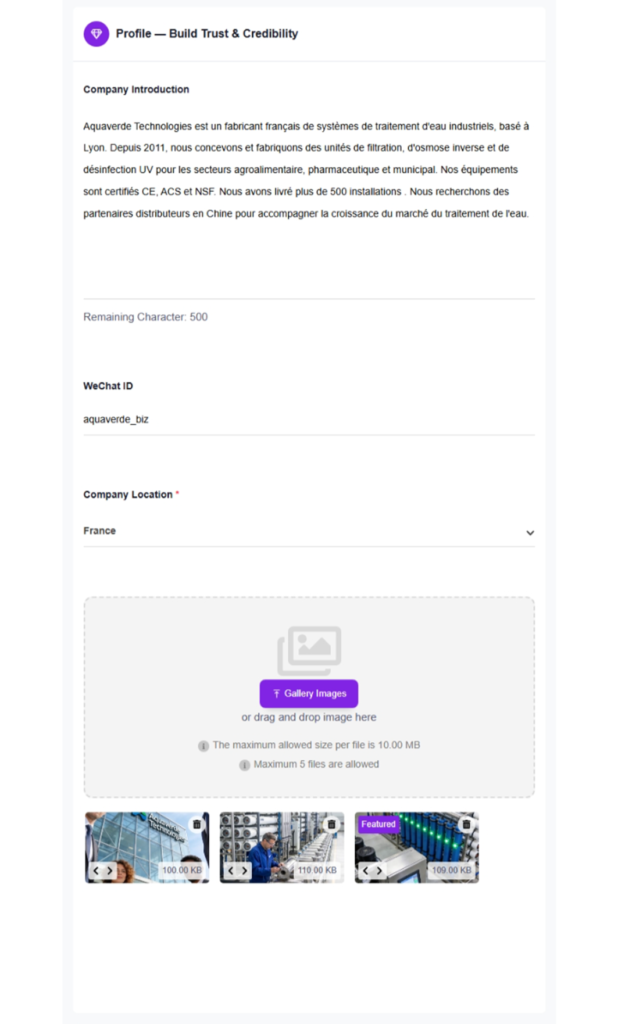
2. Профиль — создание доверия и авторитета
Введение о компании — до 500 символов (примерно 4–5 предложений на английском). Опишите, кто вы, чем занимаетесь и почему покупатели должны обратить на вас внимание.
WeChat ID — ваш бизнес-идентификатор WeChat для прямого контакта с покупателями. Оставьте поле пустым, если у вас его нет.
Местоположение компании — выберите из выпадающего списка 39 стран.
Изображения галереи — до 5 фотографий, каждая не более 10 МБ. Снимки продукции, фото офиса/завода, сертификационные документы, фото команды.
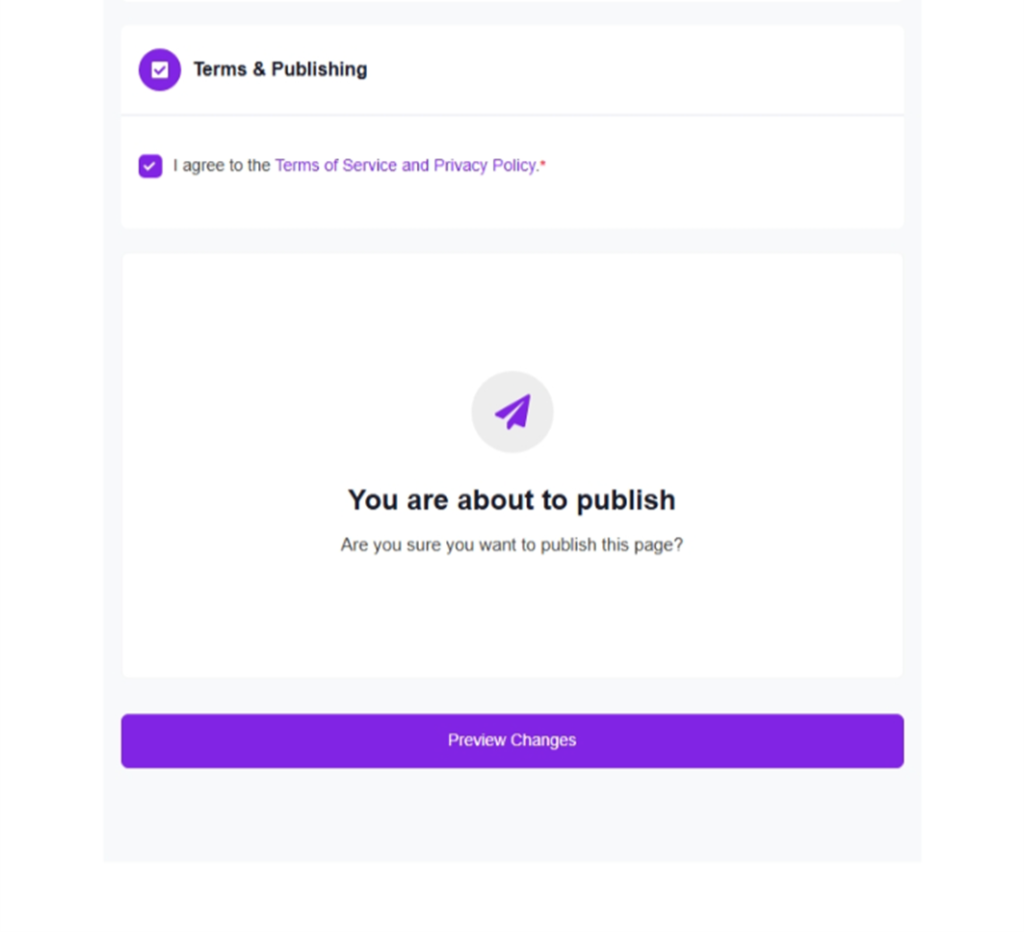
3. Публикация
Отметьте поле с условиями и нажмите «Отправить». После отправки VjQj автоматически переводит ваш контент на китайский язык, проверяет соответствие рекламному законодательству, оптимизирует изображения для мобильных устройств и размещает страницу на WeChat, Baidu, Douyin, Kuaishou и H5. Ручной перевод не требуется.