Obtenez votre première page Chine en ligne en environ 15 minutes. Vous n'avez pas besoin d'images ou d'un profil complet pour commencer.
Étape 1 — Inscription
Allez sur app.vjqj.com et cliquez sur « S'inscrire ».
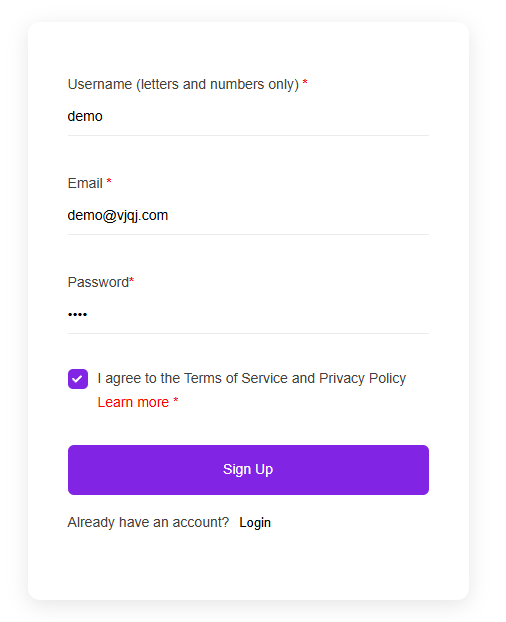
Remplissez trois éléments : un nom d'utilisateur (lettres et chiffres, comme " company01 "), votre adresse e-mail professionnelle et un mot de passe. Cliquez sur « S'inscrire », puis vérifiez votre boîte de réception pour un e-mail de vérification. Vérifiez les spams si rien n'arrive en quelques minutes. Certains comptes sont activés instantanément sans vérification.
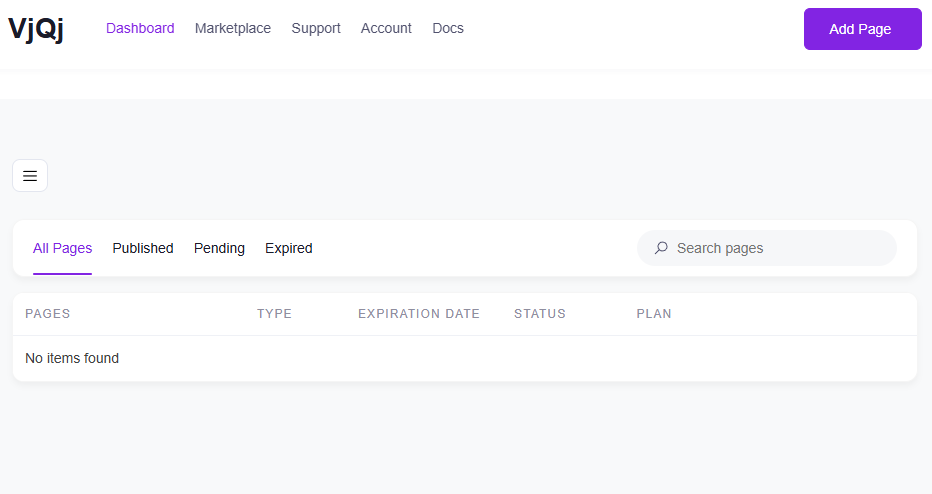
Une fois connecté, recherchez « Mes pages » dans le menu supérieur. Si c'est le cas, votre compte est prêt.
Étape 2 — Créer une page de marque
Allez dans « Mes pages », cliquez sur « Ajouter une nouvelle page » et choisissez « Page de marque ».

Remplissez ces champs :
Nom de l'entreprise — votre nom officiel, tel que vous souhaitez que les acheteurs chinois le voient. Secteur d'activité — sélectionnez l'option la plus proche dans le menu déroulant. E-mail professionnel — l'adresse à laquelle les e-mails de demande des acheteurs seront envoyés.
Tout le reste est facultatif pour l'instant. Faites défiler vers le bas, cochez la case des conditions générales et cliquez sur « Soumettre ».
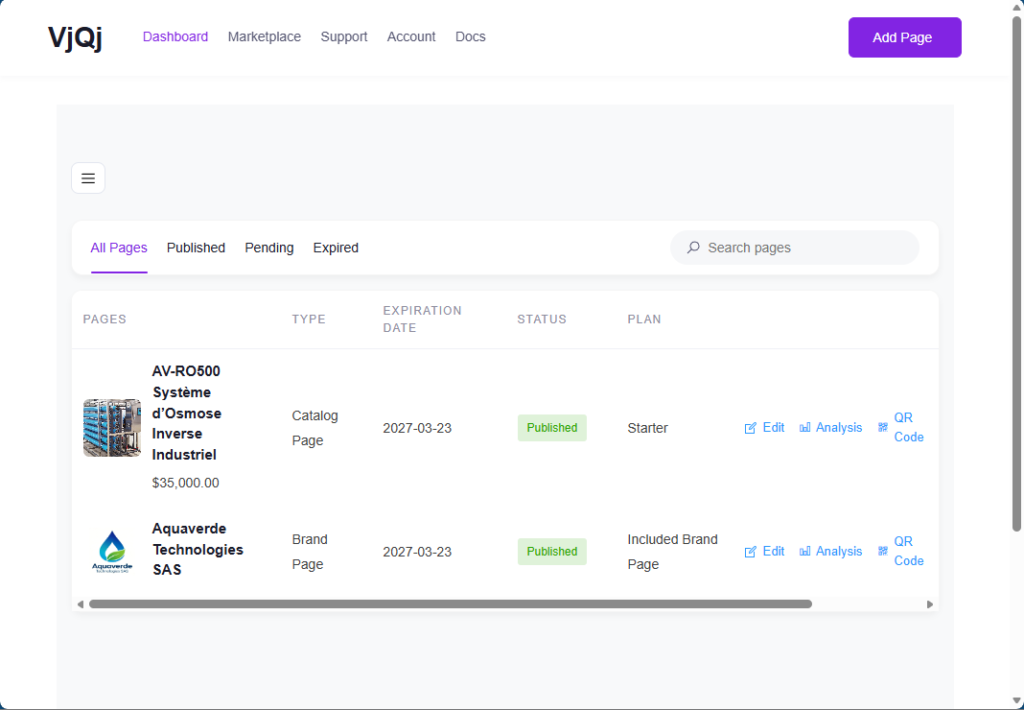
Revenez à « Mes pages ». Si votre nom d'entreprise apparaît dans la liste, la page de marque est créée.
Étape 3 — Créer une page catalogue
Cliquez à nouveau sur « Ajouter une nouvelle page », choisissez « Page catalogue ».

Votre page de marque sera présélectionnée dans le champ « Profil de marque ». Vous ne pouvez pas créer de page catalogue sans une page de marque publiée.
Remplissez :
Nom du produit / service — ce que vous vendez. Catégorie de produit — sélectionnez dans le menu déroulant.
Cliquez sur « Soumettre ». Vérifiez « Mes pages » — si le nom de votre produit apparaît à côté de votre page de marque, tout est en ordre.
Étape 4 — Générer un code QR et le tester
Dans « Mes pages », cliquez sur l'icône QR à côté de votre page.
Définissez trois champs : Plateforme — sélectionnez WeChat. Type de canal — sélectionnez Campagne. ID du canal — saisissez quelque chose comme " test " (1 à 5 caractères).
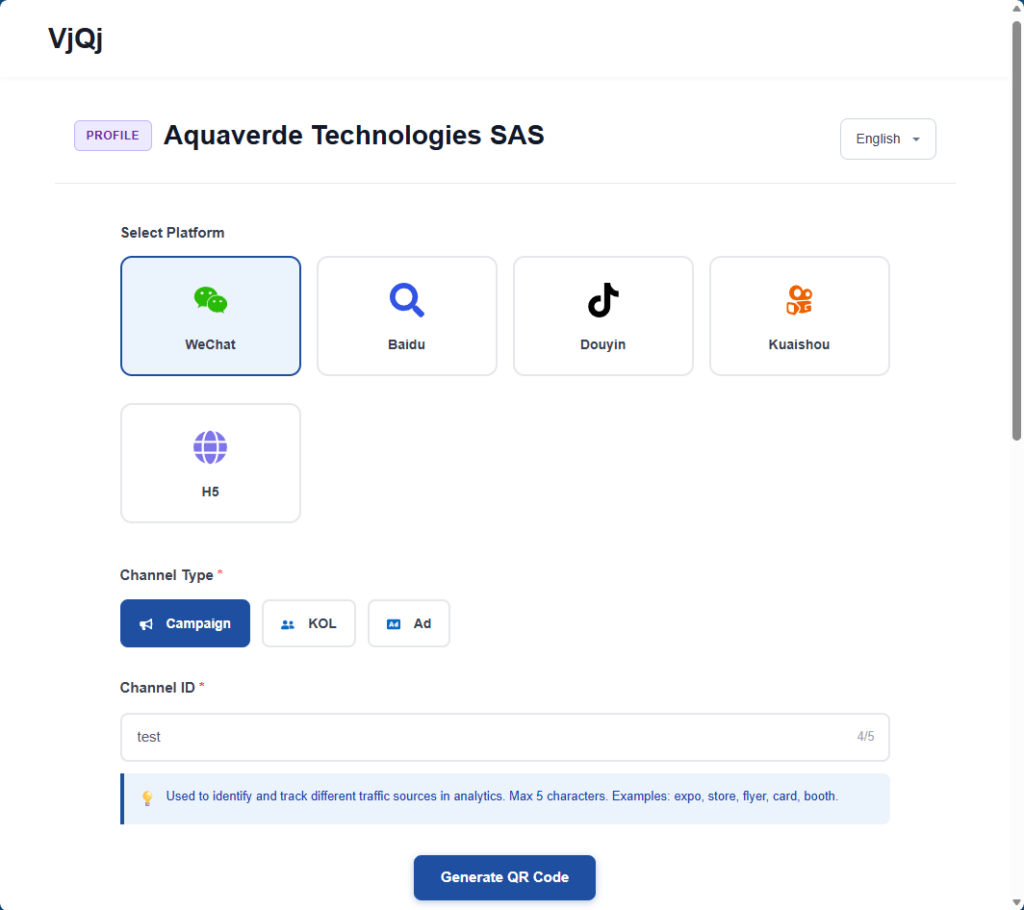
Cliquez sur « Générer », téléchargez l'image du code QR, ouvrez WeChat sur votre téléphone et scannez-le. Si la page se charge dans WeChat, tout fonctionne.
Prochaines étapes : revenez en arrière et complétez votre page de marque (logo, présentation de l'entreprise, images de la galerie) et votre page catalogue (conditions commerciales, description, photos). Les sections ci-dessous détaillent chaque champ.















